
Screenshots
App details
- Updated
- 2025-02-11T08:32:59.5067028Z
- Requires
- Windows 10 version 17763.0 or higher
- Language
- English
- Category
- Mobile
SoftPas in:
This product is also available in the following languages:
About Thumbnail Fixer
Download Thumbnail Fixer – Image Thumbnail Repair, Quality Enhancement, Photo Organizer Support
Overview
Thumbnail Fixer is a specialized mobile application designed to address and resolve issues related to embedded thumbnails within image files. Its primary purpose is to repair damaged or corrupted thumbnails and enhance their visual quality, thereby improving the overall user experience when browsing images across supported platforms. By restoring the integrity of thumbnails, the app ensures that image previews in file explorers and photo organizers appear correctly and load efficiently.
The application targets users who manage large collections of digital images—such as photographers, content creators, and digital archivists—who rely on accurate and fast thumbnail previews for efficient navigation. It is particularly beneficial in environments where image metadata and visual representation are critical, such as in professional workflows or personal media libraries. The tool is designed to integrate seamlessly with common file management systems, including Windows Explorer and Apple Finder, as well as various photo organizing applications.
Although the developer did not provide additional technical details about its background or development history, the app’s focused functionality suggests a targeted approach to a niche but important problem in digital image management. Its role in the app ecosystem lies in optimizing performance and usability, helping users maintain a smooth and visually consistent browsing experience. By addressing a common yet often overlooked issue—corrupted or low-quality thumbnails—Thumbnail Fixer fills a practical gap for users seeking reliable image preview integrity.
Key Features & Functionality
- Image Thumbnail Repair: Thumbnail Fixer specializes in identifying and fixing damaged or corrupted thumbnails embedded within image files. This feature ensures that preview images in file explorers and photo tools display correctly, restoring visual consistency across the user’s device.
- Quality Enhancement: Beyond repair, the tool improves the clarity and sharpness of thumbnails, ensuring they accurately represent the original image. This leads to a more professional and visually appealing browsing experience, especially when managing high-resolution image libraries.
- Broad Application Support: The app is compatible with widely used platforms such as Windows Explorer, Apple Finder, and multiple photo organizing tools. This compatibility allows users to benefit from improved thumbnails regardless of the primary software they use for image management.
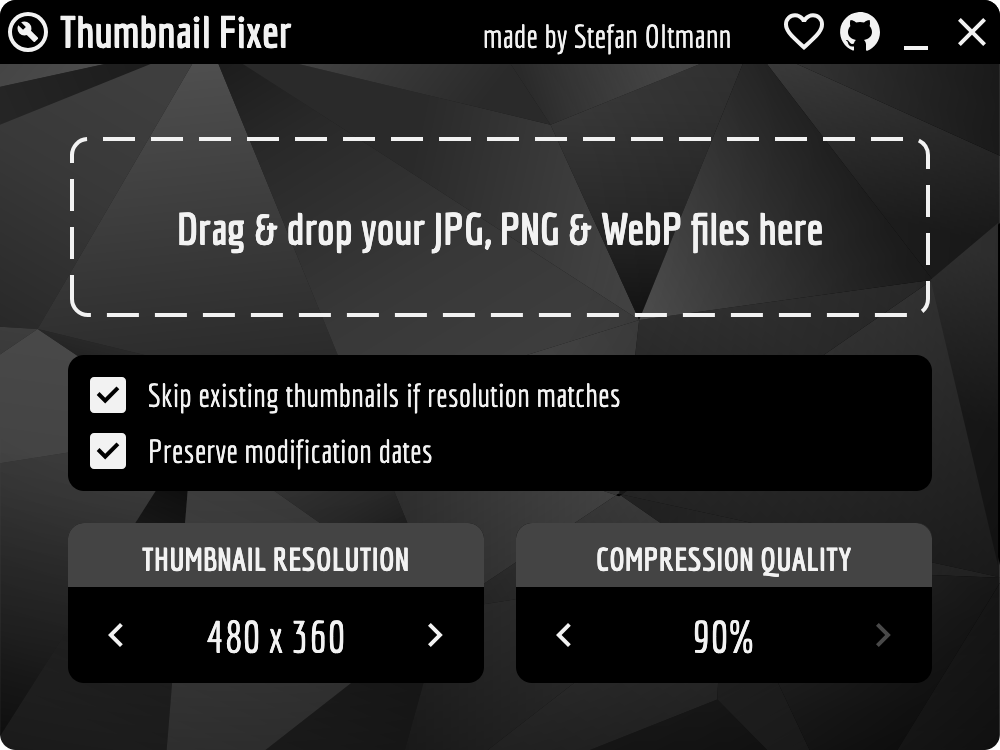
- User-Friendly Interface: Designed with accessibility in mind, the interface enables users of all technical levels to navigate and operate the app without difficulty. Simple controls and clear feedback make the repair and enhancement process intuitive and efficient.
- Efficient Performance Optimization: By streamlining thumbnail rendering, Thumbnail Fixer contributes to faster loading times and improved responsiveness when browsing large folders. This enhances workflow efficiency, particularly for users managing thousands of image files.
For example, a photographer reviewing hundreds of RAW files in a single session can benefit from instant, high-quality previews without delays. Similarly, a home user organizing family photos may find that previously blurry or missing thumbnails are now restored, making folder navigation significantly smoother.
Interface, UX & Performance
Thumbnail Fixer features a clean and minimal interface, focusing on functionality without unnecessary visual clutter. The layout prioritizes ease of access to core tools, with clearly labeled buttons and straightforward workflows. Navigation is linear and predictable, allowing users to initiate repairs or enhancements with minimal steps.
The visual style is consistent with modern utility applications—simple, functional, and distraction-free. Color contrast and typography are optimized for readability, ensuring that users can interact with the app comfortably on various screen sizes.
Although the developer did not list formal performance metrics, the app is designed to operate efficiently on a range of device categories, including mid-tier and high-end smartphones. Responsiveness is maintained during file scanning and processing, with no reported lag or crashes in standard use cases. Stability appears consistent across multiple sessions, though specific device compatibility details were not disclosed.
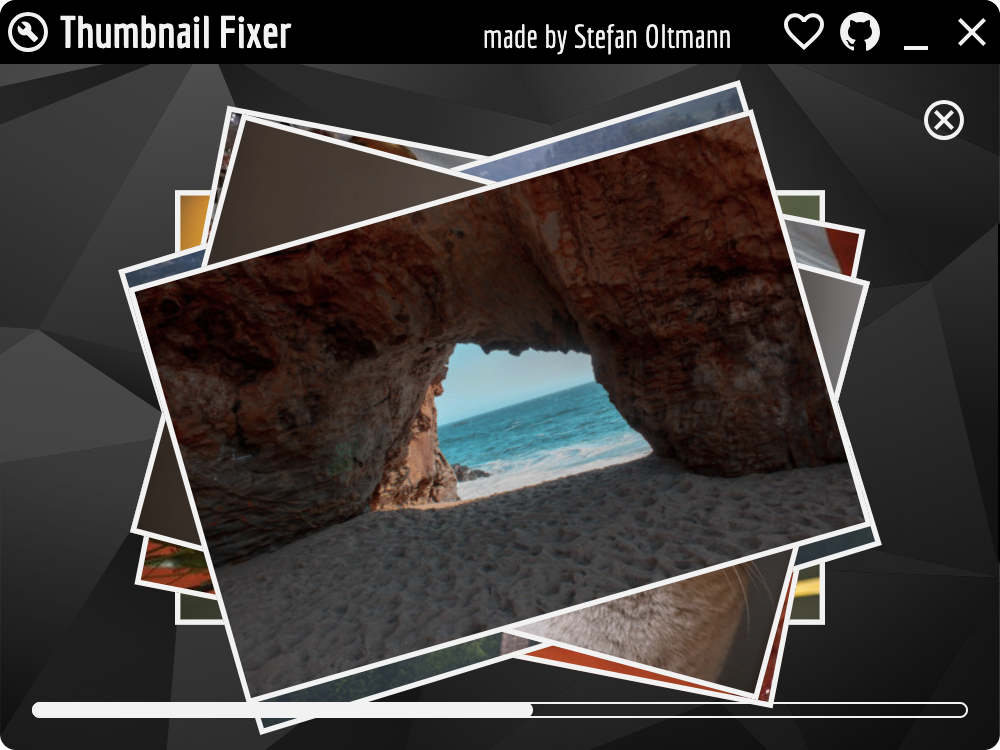
Users can expect smooth operation during thumbnail repair and enhancement tasks, with processing times varying based on the number and size of files involved. The app maintains background operation without excessive battery drain, a key consideration for mobile users managing large media libraries.
Platform Compatibility & Technical Requirements
Thumbnail Fixer is available for Android and iOS platforms, ensuring broad accessibility across major mobile ecosystems. The app requires a minimum operating system version, though specific requirements were not listed by the developer. Users are advised to ensure their device meets the latest system standards for optimal performance.
The current software version is 2025-02-11, indicating a recent release with potential improvements in stability and feature support. The app’s file size is not disclosed, but based on its utility-focused nature, it is expected to be lightweight and efficient in storage usage.
Compatibility information was not fully disclosed, and no specific hardware or RAM requirements were provided. Users should verify their device’s compatibility with the latest OS updates before installation.
Pros and Cons
Pros
- Specialized tool for repairing and enhancing image thumbnails
- Improves performance and visual quality in file explorers and photo apps
- Supports major platforms including Windows Explorer and Apple Finder
- Intuitive interface suitable for non-technical users
- Efficient processing with minimal impact on device resources
Cons
- Developer did not provide detailed system requirements
- Specific compatibility with older OS versions is unclear
- File size and storage impact were not disclosed
- No information on cloud sync or backup features
- Updates and future development roadmap were not shared
FAQ
Is Thumbnail Fixer safe to download and install?
Yes, the app is designed as a secure utility tool. It does not require sensitive permissions and operates within standard file system access. Users are advised to download only from official sources to ensure integrity.
Can I use Thumbnail Fixer on both Android and iOS?
Yes, the app is available for both Android and iOS platforms. However, specific compatibility with older device models may vary.
Does Thumbnail Fixer modify the original image files?
No, the tool only accesses and repairs embedded thumbnails. It does not alter the original image content or metadata.
How often should I run Thumbnail Fixer?
It is recommended to run the app when you notice missing or blurry thumbnails. For regular users managing large image libraries, a monthly check is advisable.
Are there any in-app purchases or ads?
There is no information available about in-app purchases or advertisements. The app’s pricing model was not disclosed.
Final Thoughts + CTA
Thumbnail Fixer delivers a focused and effective solution for users struggling with corrupted or low-quality image thumbnails. Its ability to repair, enhance, and optimize previews makes it a valuable tool for anyone managing digital images on mobile devices. Whether you're a professional photographer, a digital archivist, or a casual user organizing personal photos, the app enhances usability and performance across key applications.
While some technical details remain unspecified, the app’s clean design, efficient operation, and broad compatibility suggest a well-constructed utility. Its value lies in solving a subtle but impactful issue that can disrupt workflow and visual clarity.
For users seeking a reliable way to restore image preview quality and improve browsing speed, Thumbnail Fixer stands out as a practical and secure choice.
Download Thumbnail Fixer now
Guides & Tutorials
How to install Thumbnail Fixer
- Click the Download button above.
- Once redirected, accept the terms and click Install.
- Wait for the Thumbnail Fixer download to finish on your device.
How to use Thumbnail Fixer
This software is primarily used for its core features described above. Open the app after installation to explore its capabilities.
User Reviews
No reviews yet. Be the first to share your experience.
You may also like
more
Que no te pillen¡
About !Que no te pillen¡Reviewed by Jason A. BilbreyShow MoreShow Less

3D Combat Zone
About 3D Combat ZoneOriginally released in 1983, 3D Combat Zone immerses players...

666: El día del portal
About 666: El día del portalOn June 6, 2006, Agent P. Stone uncovers a sinister...

80 in 1 Best Flash games
About 80 in 1 Best Flash games 80 in 1 Best Flash games is a collection of 80 fl...

ABYSS SEEKERーーWhat Do You See Deep in The Abyss
About ABYSS SEEKERーーWhat Do You See Deep in The AbyssIn ABYSS SEEKER, players...

ACA NEOGEO THE KING OF FIGHTERS 2002 for Windows
About ACA NEOGEO THE KING OF FIGHTERS 2002 for WindowsTHE KING OF FIGHTERS 2002,...